June 16, 2026
Rendering for Higher Education with Sony's OpenCue
If you've ever had the pleasure of creating a student short film, you probably already know the feeling.
The final weeks become absolute chaos!
Machines roaring through the night. Artists sleeping in labs. File paths breaking. References lost in the ether. Panic troubleshooting at 3AM and before you know it, morning classes start rolling in, signaling that your suffering is temporarily coming to a close before you pick it all back up again after the last night class.
In some cases, the difference between pass or fail genuinely comes down to whether the film actually makes it to the screen.
I remember that stress vividly from my own time as a student.
But after spending the last couple of years on the other side of the classroom as an educator, I started seeing those same horror stories replay almost like clockwork.
Different students. Similar problems.
At the same time, we also wanted to continue pushing student work toward the standards the industry keeps raising. Better lighting. Quality grooms. Higher fidelity work. The list could go on and on.
We identified a core problem year in and year out, and it was that rendering was still happening largely the same way many of us experienced it many moons ago without the luxury of cloud or on prem resources.
Students moving giant project files machine to machine. Signs taped onto computers warning their peers not to touch active renders. Freshmen unintentionally terrified they might destroy an upperclassman’s thesis film by pressing the wrong button. Labs becoming increasingly chaotic during finals week as rendering competed with classes, deadlines, and already stretched resources.
As fun as it all is, something clearly needed to change.
AWS Thinkbox Deadline
Naturally, one of the first places we looked was AWS Thinkbox Deadline .
Historically, it was something I had worked with before and, on paper, it made a lot of sense. It is an industry staple. Amazon bought them out, so with the backing of a major corporation, support would be there if needed. Distributing renders across roughly 80 available lab machines required a stable and reputable solution.
We wanted to remove rendering as a bottleneck and continue pushing the quality of what our students could create.
But once implementation started, we quickly realized we were running into limitations specific to our infrastructure and, unfortunately, our budget.
Some of the constraints were not immediately obvious and we eventually hit ceilings that made it difficult to fully leverage an entire lab the way we had originally envisioned. Turns out, it is not free regardless of what some of the forums online might lead you to believe.
You can use Deadline for free, but only up to a set number of hosts. Great if you are a smaller studio with a handful of machines, but we are lucky enough to have several labs with ~16 machines or so in each one and we wanted to use all of the resources available to us.
The last thing we wanted was, once again, finals week turning into a rush to get frames out. We also did not want infrastructure becoming yet another thing students had to fight. Also, carving out budget for something that felt increasingly fundamental did not sit particularly well with us. At this point, render management feels like it should be fairly rudimentary given how long CG has been around.
OpenCue
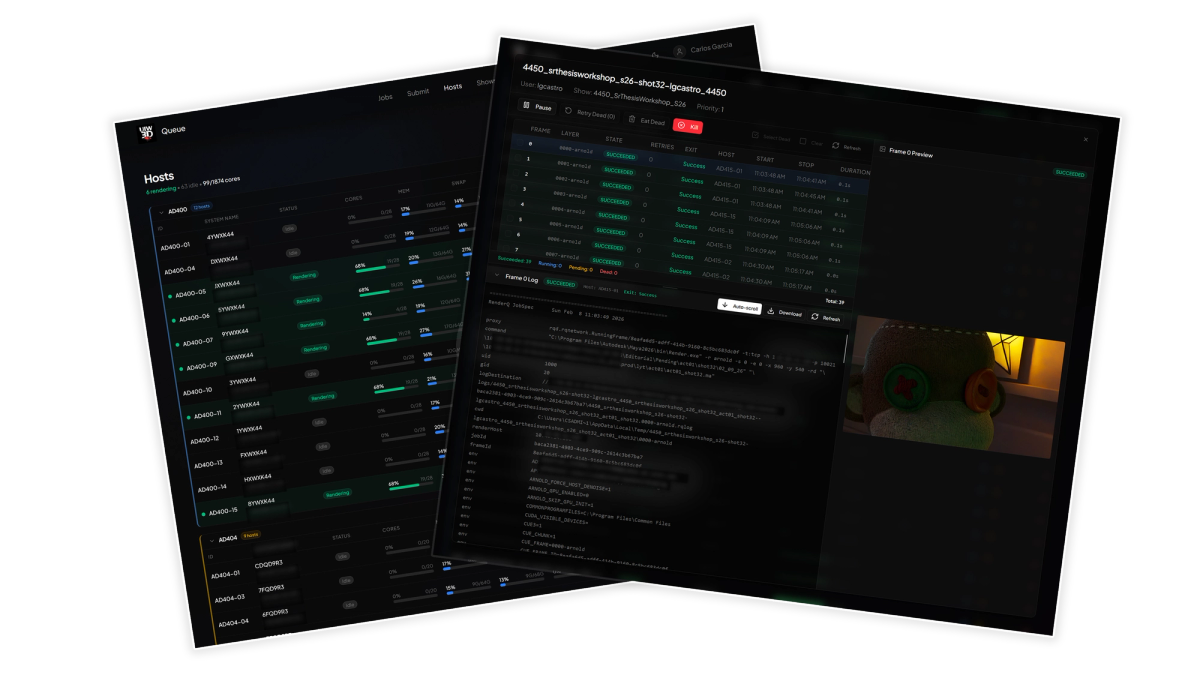
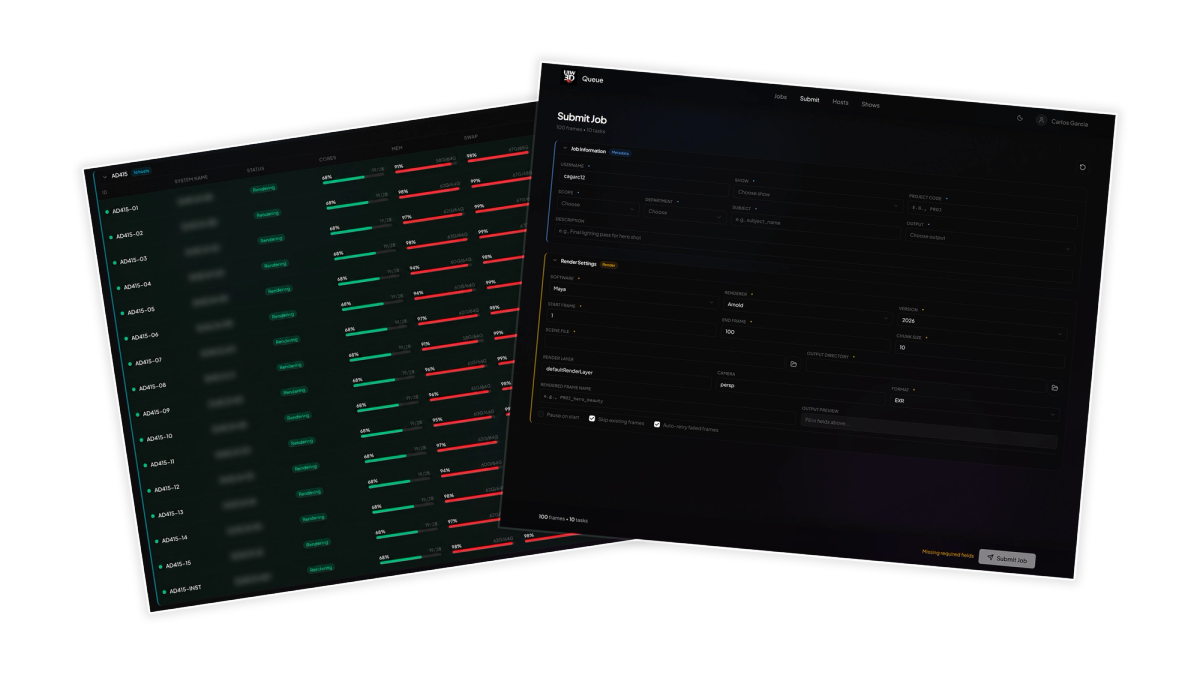
The Deadline blocker and eventual pivot led us to OpenCue , an open-source render management system originally developed at Sony Pictures Imageworks .
What immediately stood out was it’s history as a production horse at Sony. Couple that with it being free and open-source and we had a winner!
Also because OpenCue is open source, we were not locked into forcing a university budget into another software package. We could experiment at an extremely low cost. More importantly, having access to the source code meant we could actually fork parts of it, adapt pieces for our infrastructure, and start shaping something that felt more aligned with education and our productions at UIW.
Academic Friendly Pipelines
One of my primary goals since I first started teaching has been fairly straightforward - bring the industry into the classroom!
Early on, I pitched the idea of a "Unified Pipeline". Something we could build, document, control, and continue refining as the program evolved. Slowly but surely, pieces of that idea have started coming together.
We have a headless Ubuntu server. We have source and version control through Perforce . Jenkins handles our CI/CD, allowing us to always have a current build of our games. We have project management and a knowledge base through JetBrains YouTrack . I am currently exploring AYON and Prism as potential pipeline solutions to help further unify the experience.
As all of this was coming together, it was only a matter of time before we started hunting for a render management solution to add to the growing list of pieces that make up this larger vision, one I am excited to continue writing about.
I would also be remiss not to mention that none of this happened siloed.
I have been incredibly grateful that throughout this process my colleagues were all in. They bought into the larger vision of where we can take things and have been extremely supportive. Building infrastructure and pipelines like this in higher education only works when people are willing to experiment, troubleshoot, and occasionally embrace a bit of controlled chaos.
A special shout out to my work husband Jacob Salazar for diving head first into this with me from the start, helping troubleshoot, test, and push ideas forward. We've had many late nights elbow to elbow brute forcing our way to get this to work. Huge thanks as well to Jingtian Li (Program Coordinator) and Adam Watkins (Dean of SMD) for fully buying in and backing all of this. Having that level of support makes trying ambitious things not only possible, but genuinely exciting.
That said, students are still students and we exist in an academic setting.
We are not backed by a publisher. We make both films and games in our four year program split up into concentrations. Our first-year students do not need to know a thing about 3D when they walk through the door. Four years sounds like a long time until you realize just how much there still is to learn.
So yes, industry in the classroom and labs, but under the umbrella of academia and everything that comes with it.
Things are going to break. Someone will still forget to path their textures correctly. Somebody will absolutely render the wrong camera. Chaos will always exist. That is part of the magic of student productions.
Well... productions, period.
But if we can remove some of the unnecessary suffering around rendering, and the broader pipeline as a whole, then it is 1000% worth pursuing.
The Future!
Right now, the focus is fairly straightforward:
- Utilize available university hardware for rendering without disrupting ongoing classes
- Support offline workflows across Maya and Arnold, with Houdini and USD to come
- Reduce friction around stress and sleepless nights to create a healthier studio environment
- Support collaborative thesis and capstone productions across multiple years
- Adapt OpenCue, and any software necessary for our Unified Pipeline within the realities of higher education
- Give students exposure to more production-aware workflows
We stood up the render farm toward the end of Summer 2025 and spent the last year putting it through its paces. We had it’s first production run this previous semester in Spring 2026 alongside our other pipeline software and tooling.
There have been some horror stories, a few wins, and honestly, a lot learned in the process.
I am excited to finally have this site together and a place to host some of my rambling thoughts. More to come!